How to install an eSIM on iPhone
On Wi-Fi, open Settings > Mobile Service > Add eSIM > Use QR Code and scan the code from your Olysim email. Turn the line on and switch on Data Roaming when you land.
It takes about 5 minutes. The pictures show a recent iPhone. Menu names can differ a little between iOS versions and countries.
Before you start
- Wi-Fi
- The QR code from your Olysim email, on another screen or printed
- An iPhone XS or newer
Step by step
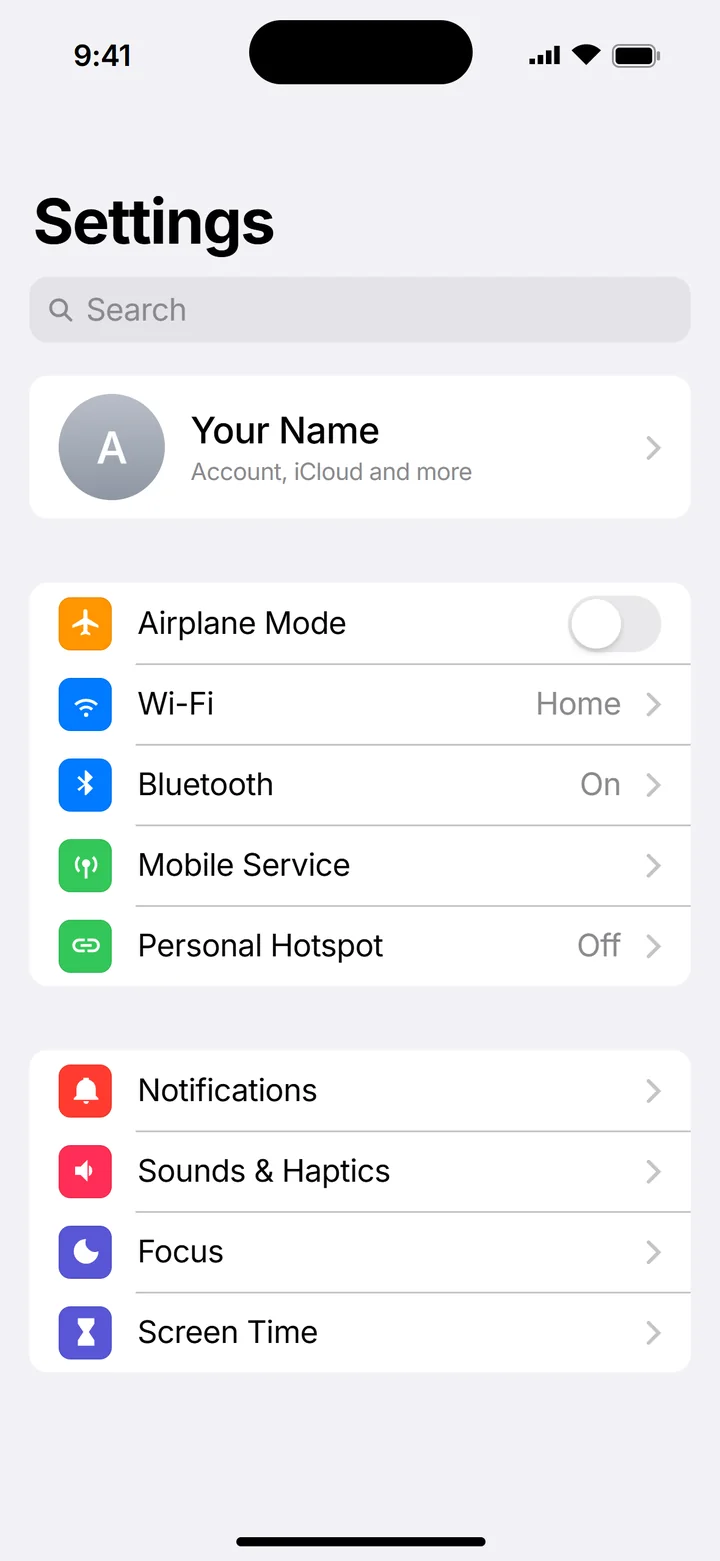 1Step 1 of 10
Open Settings and tap Mobile Service.
On some iPhones it is called Cellular or Mobile Data.
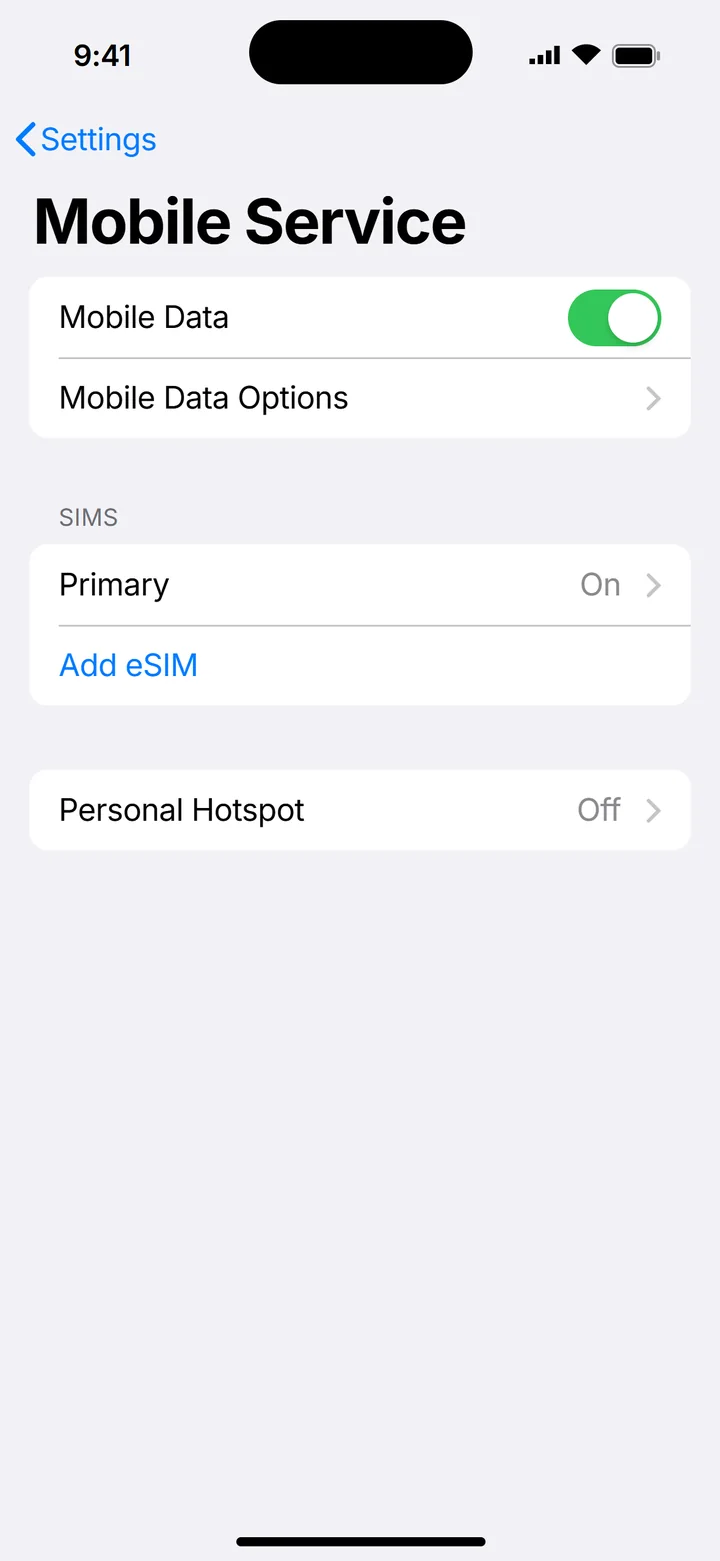 2Step 2 of 10
Tap Add eSIM.
On older iOS it says Add Cellular Plan or Add Mobile Data Plan.
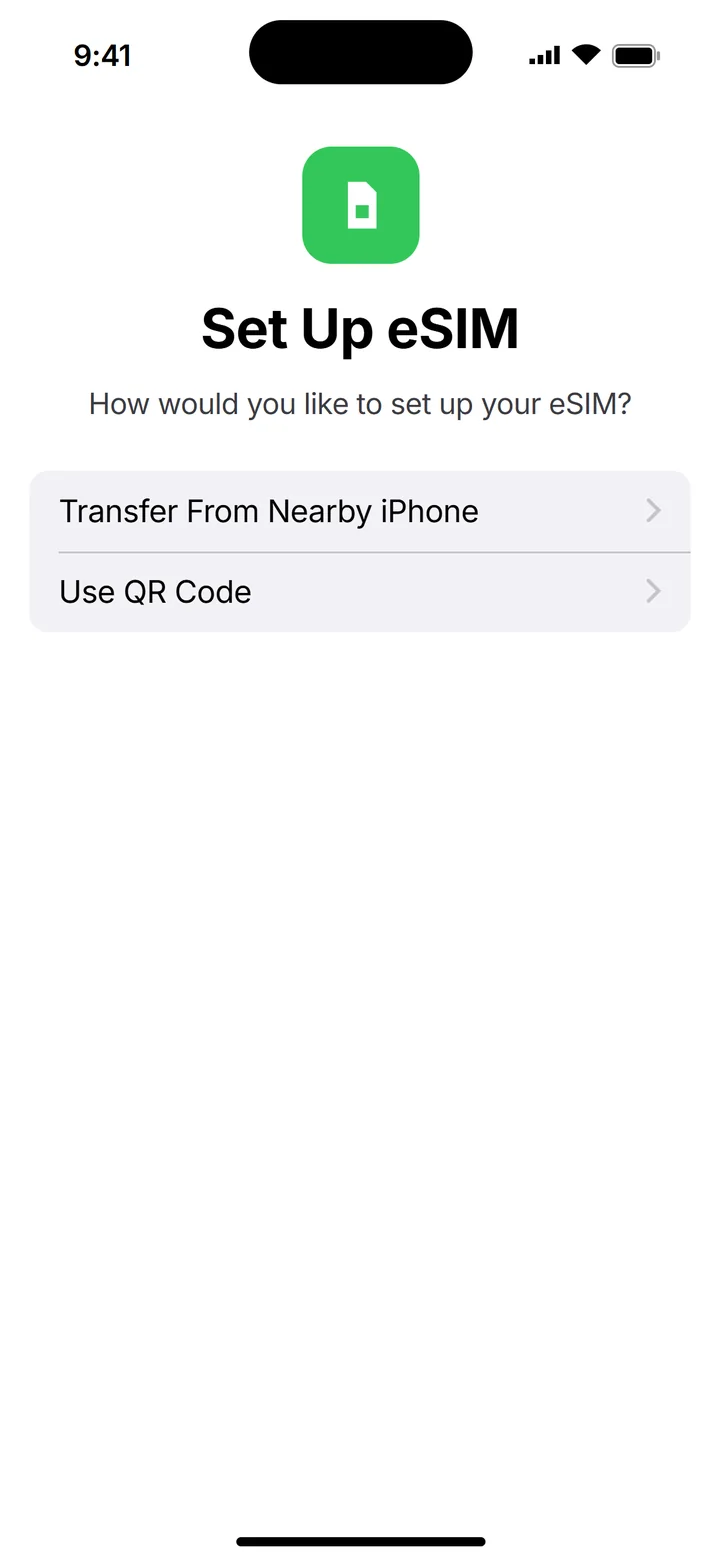 3Step 3 of 10
Tap Use QR Code and scan the code from your email.
Can't scan? Tap Enter Details Manually and type the SM-DP+ Address and Activation Code from the email.
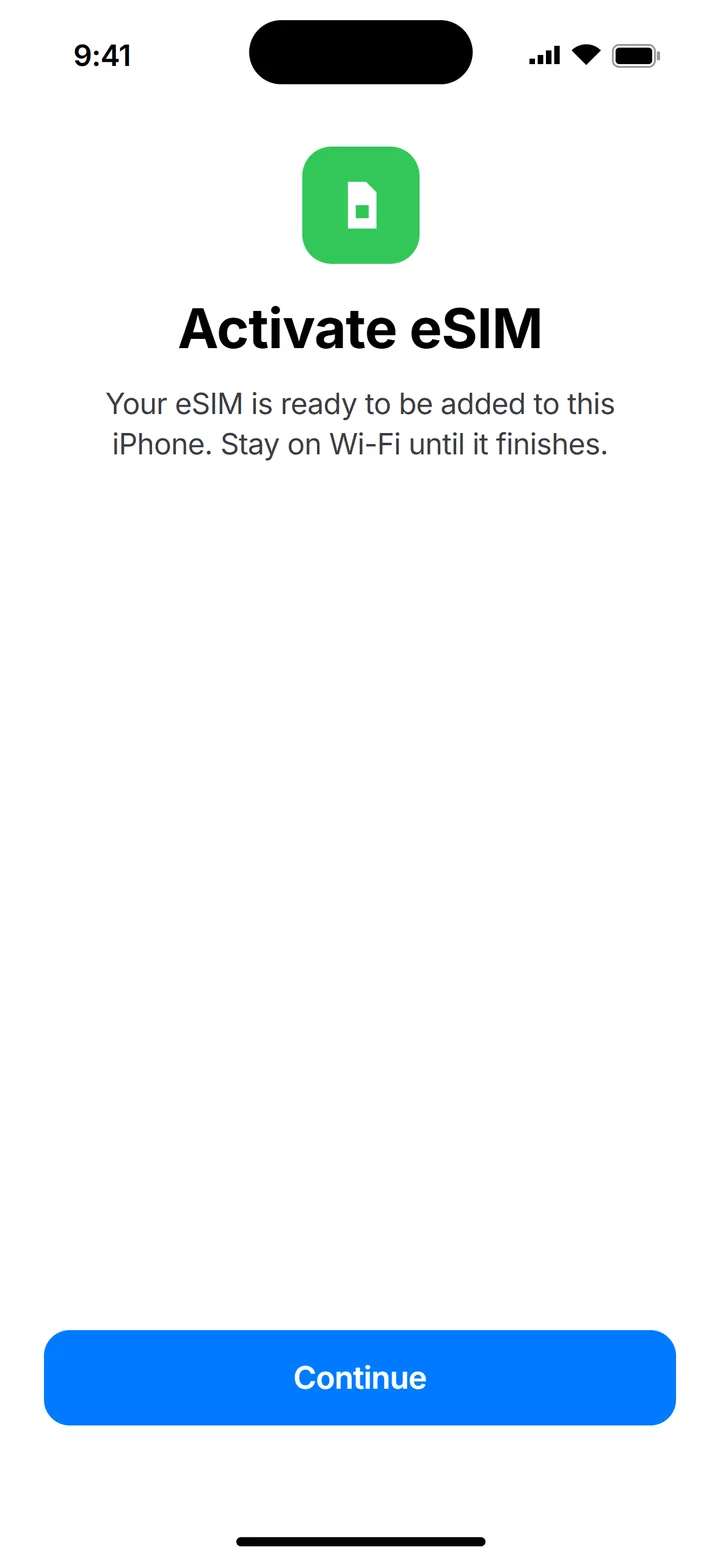 4Step 4 of 10
Tap Continue and wait until it finishes.
It can take a minute or two. Stay on Wi-Fi.
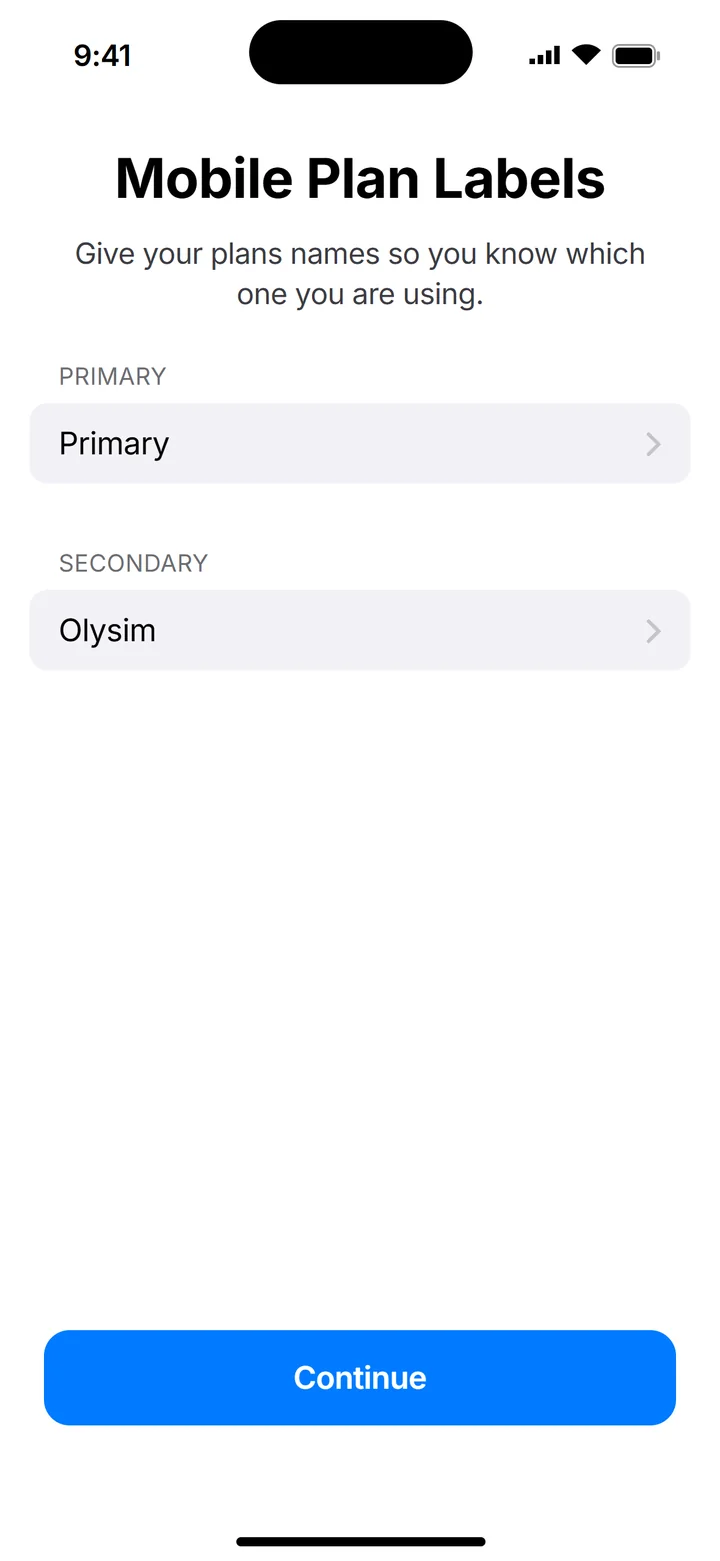 5Step 5 of 10
Name the new line Olysim.
This makes it easy to find later.
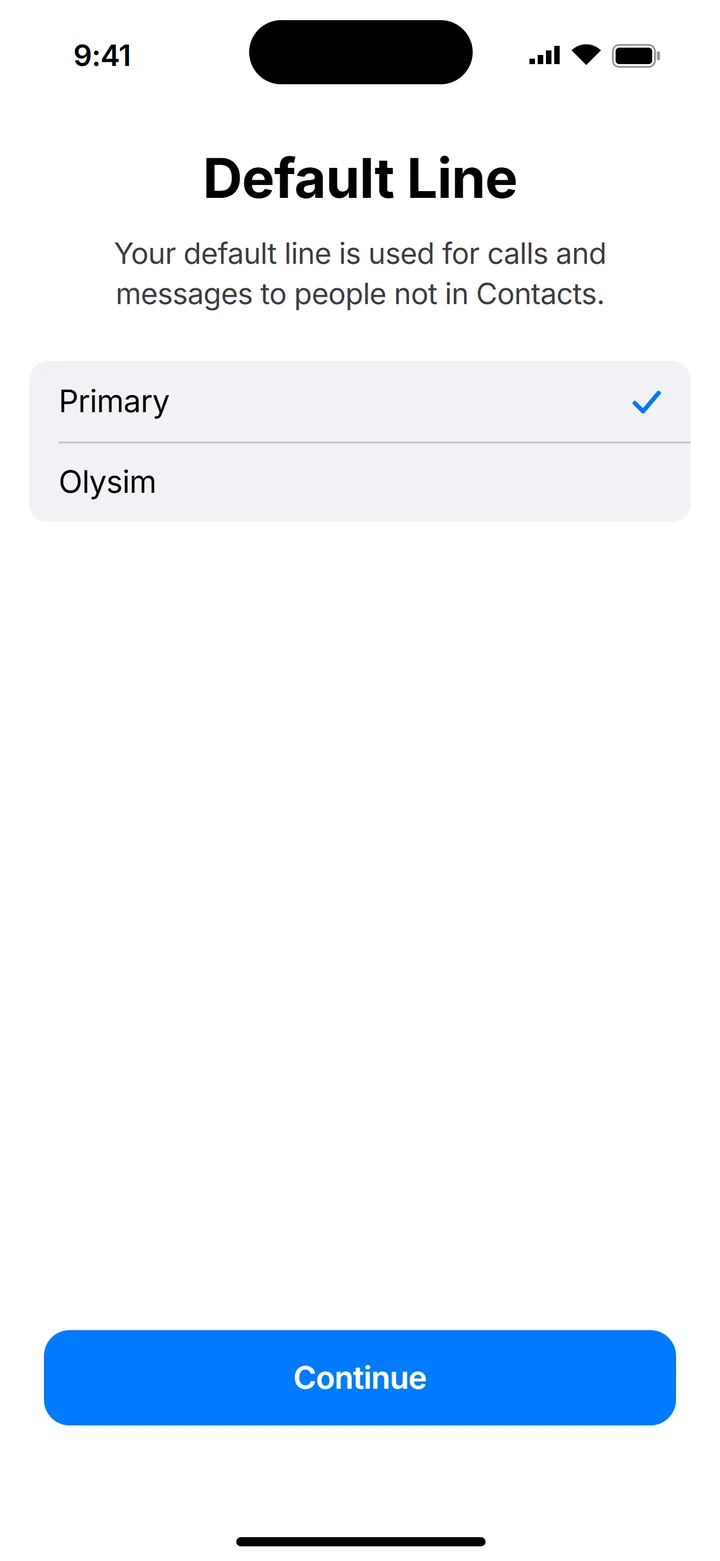 6Step 6 of 10
For Default Line, keep your home SIM.
Calls and SMS stay on your own number.
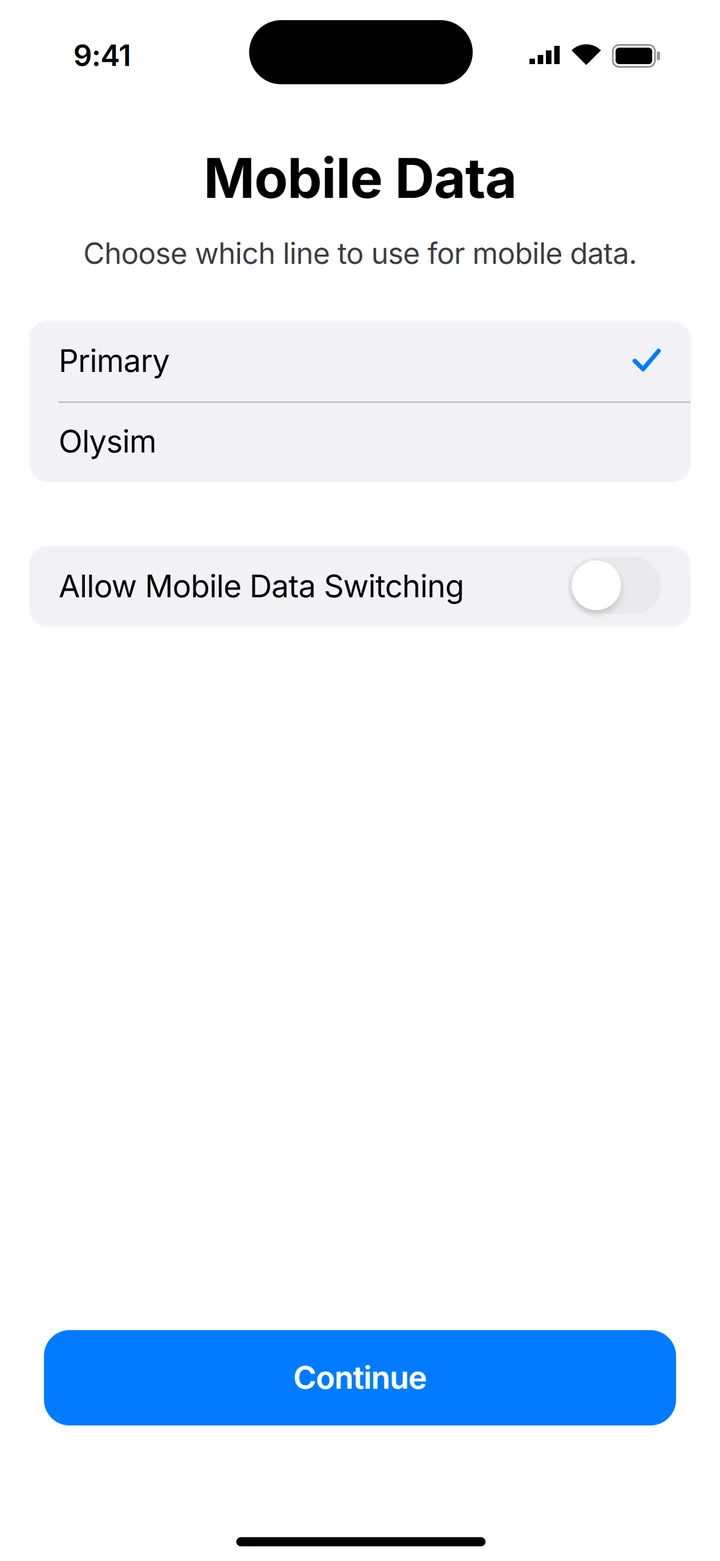 7Step 7 of 10
For Mobile Data, keep your home SIM for now.
You switch to Olysim when you land.
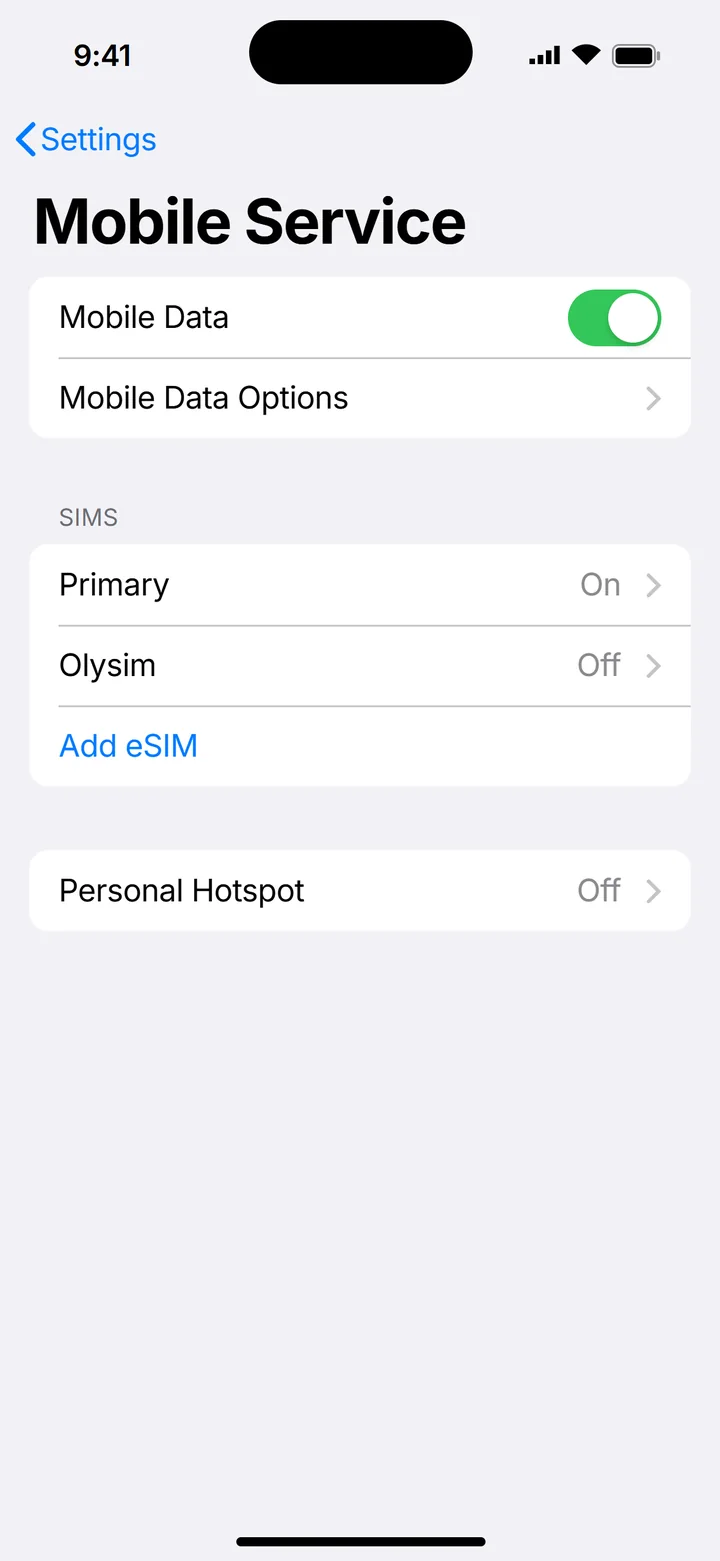 8Step 8 of 10
When you land, open Settings > Mobile Service and tap Olysim.
Do this at your destination, not before.
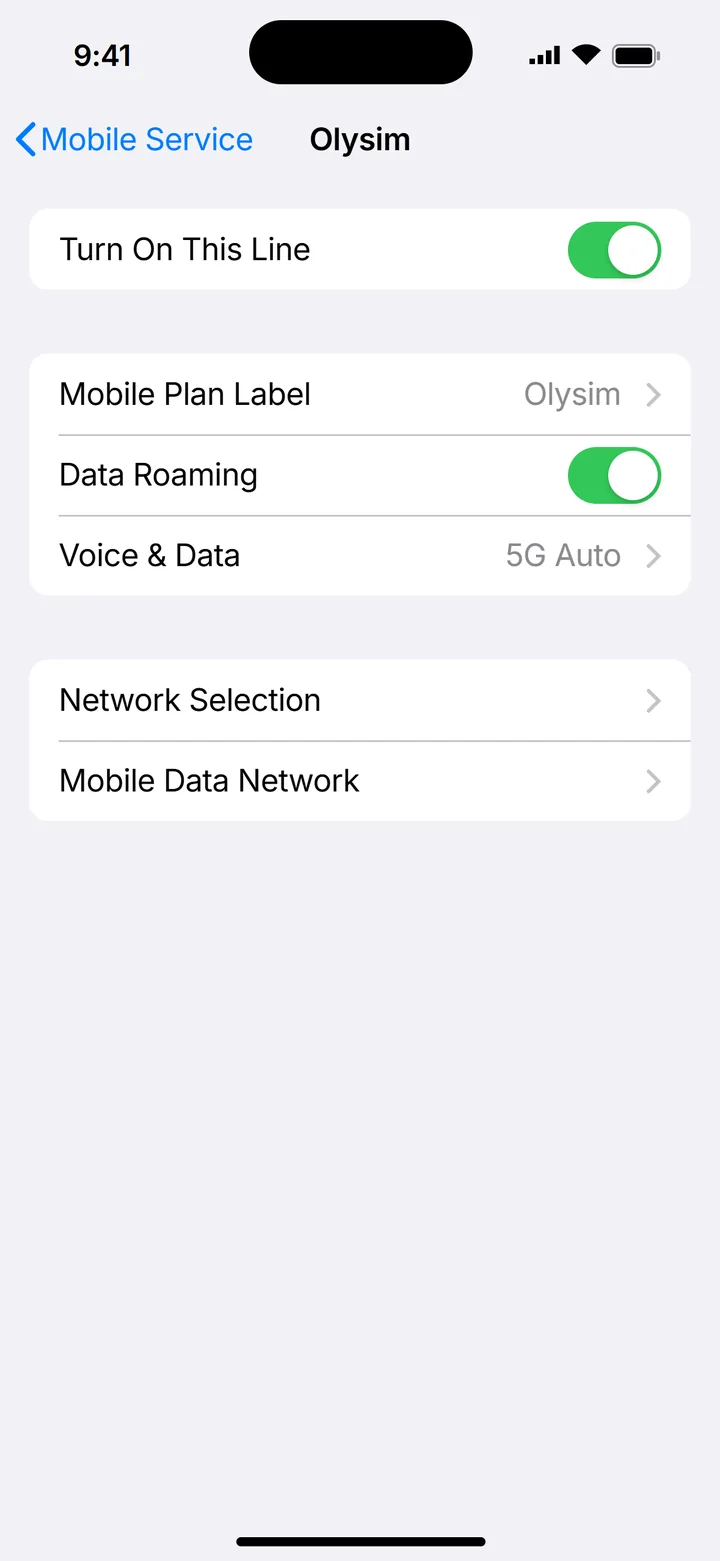 9Step 9 of 10
Turn on Turn On This Line and Data Roaming.
Data Roaming must be on for a travel eSIM. It costs nothing extra on Olysim.
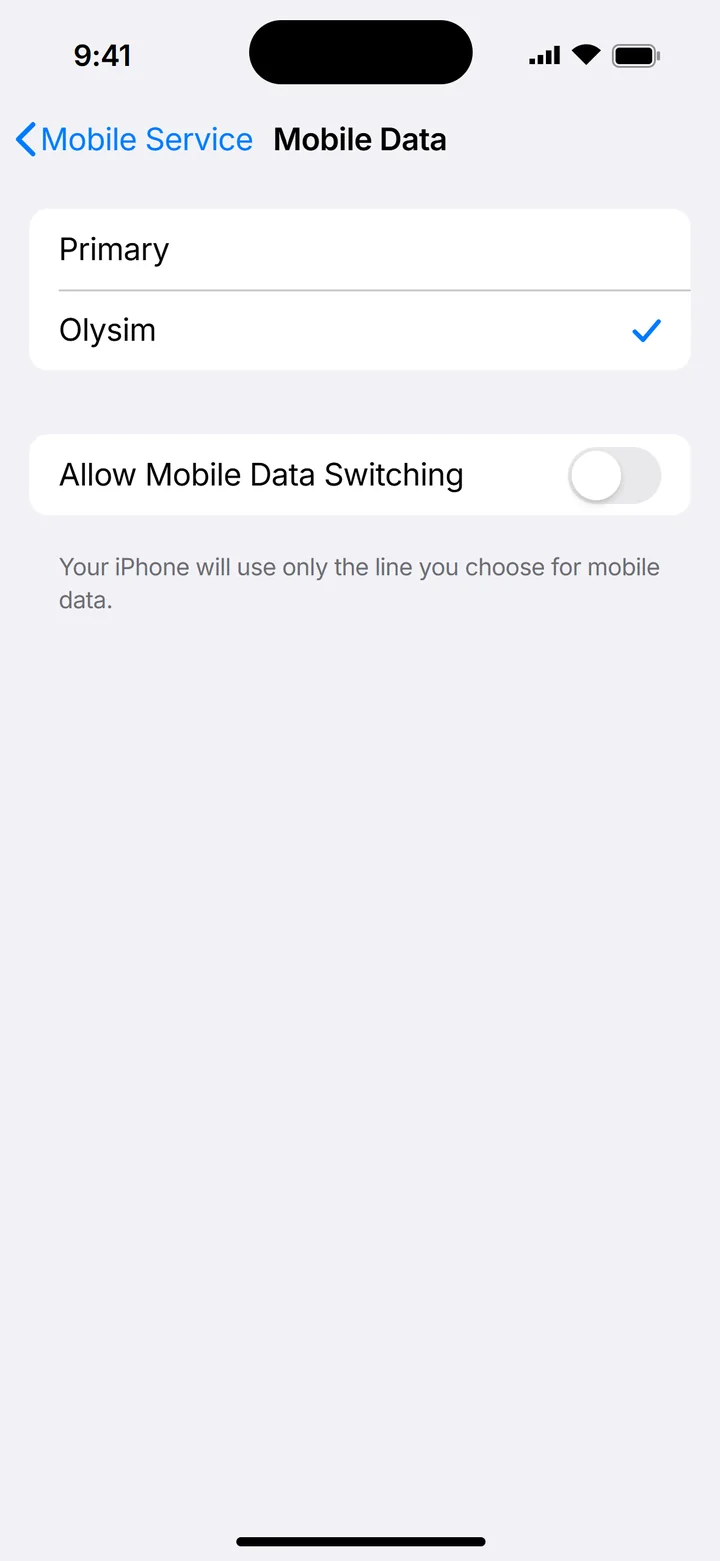 10Step 10 of 10
Go back, tap Mobile Data and choose Olysim.
Turn off Allow Mobile Data Switching, so your home SIM does not use roaming data.
Do not delete the eSIM if it does not connect straight away. A deleted eSIM usually cannot be installed again.
Common questions
Does my iPhone support eSIM?
Every iPhone from the XS onward does. Dial *#06#, and if an EID number shows, you are ready.
Can I install it without scanning the QR code?
Yes. Tap Enter Details Manually on the QR code screen, then type the SM-DP+ Address and Activation Code from your email.
Do I install it at home or at my destination?
At home, on Wi-Fi. Leave the line off until you land.
Can I use the same QR code on another phone?
No. It installs once, on one phone, so scan it on the phone you travel with.