Data roaming on or off? How to set it for your eSIM
Quick answer
Turn Data Roaming on for the Olysim eSIM and off for your home SIM. A travel eSIM always counts as roaming, and roaming on Olysim costs nothing extra.
This one setting fixes most "no internet" problems abroad.
Step by step
- 1Step 1 of 5
iPhone: open Settings > Mobile Service and tap the Olysim line.
Called Cellular on some iPhones.
- 2Step 2 of 5
Turn Data Roaming on.
Do this for the Olysim line only.
- 3Step 3 of 5
Go back, tap your home SIM and turn Data Roaming off.
This stops roaming data charges from your home network.
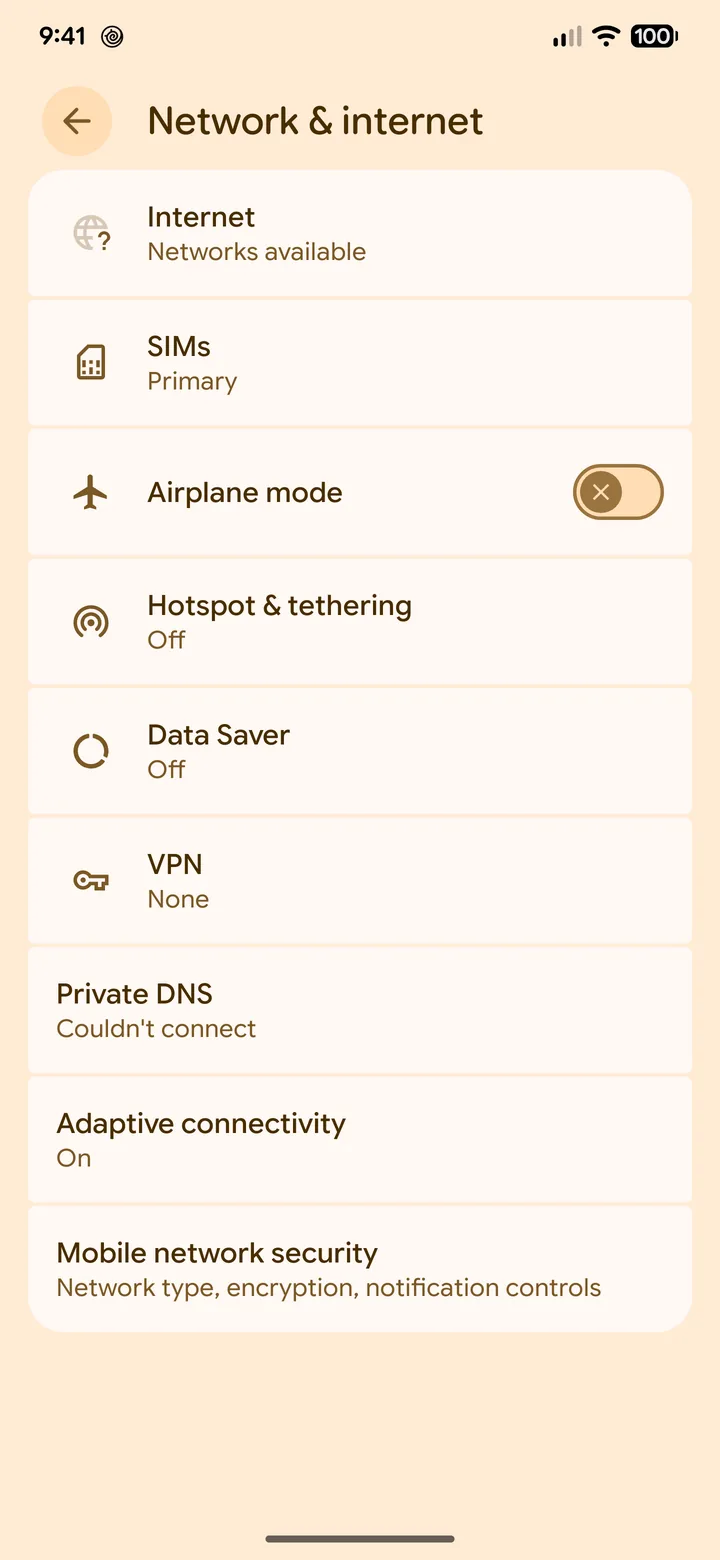 4Step 4 of 5
Android: open Settings > Network & internet > SIMs, or Connections > Mobile networks on Samsung.
Then pick the Olysim eSIM.
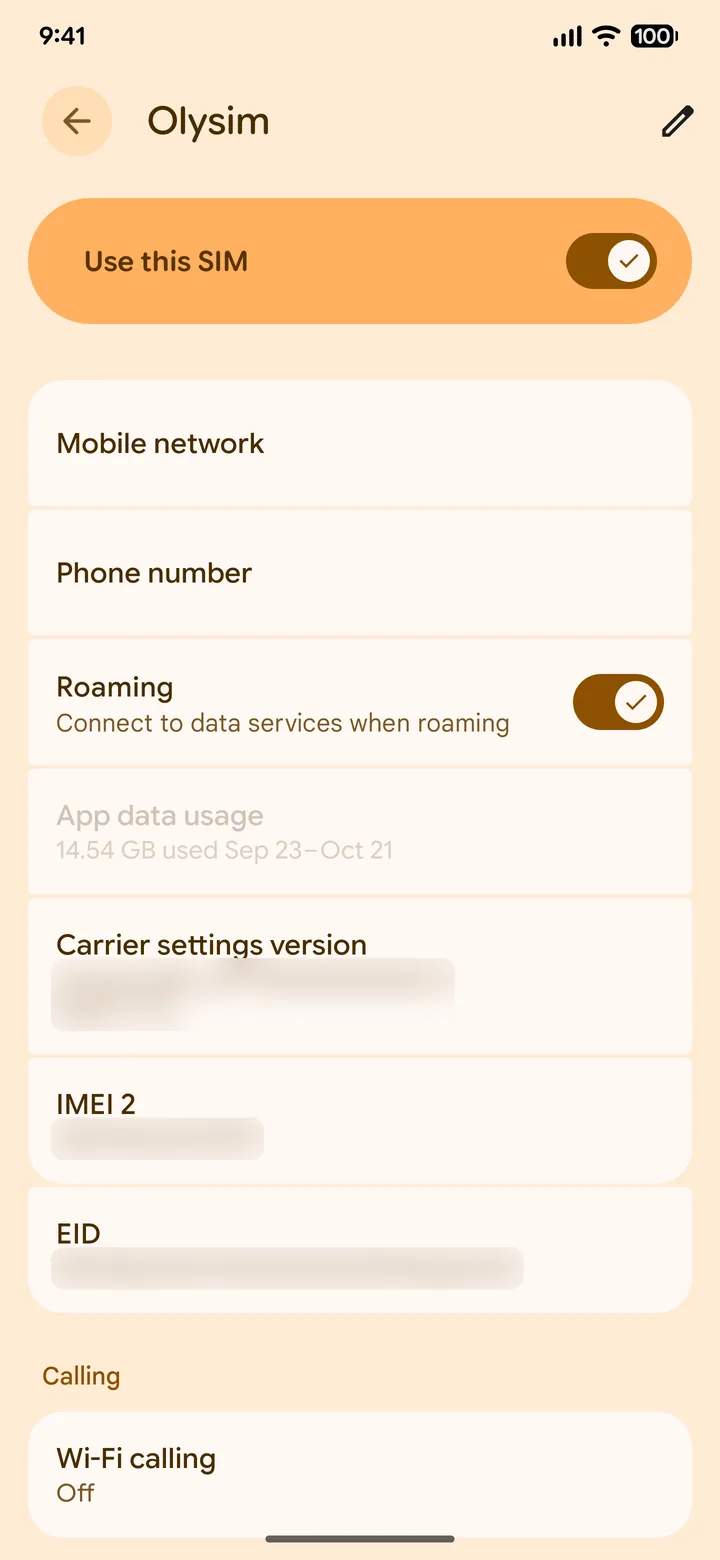 5Step 5 of 5
Turn Roaming on for Olysim and off for your home SIM.
On some Samsung phones, roaming is one switch for the SIM chosen for data.
Common questions
Will I be charged for roaming on the Olysim eSIM?
No. You have paid for the plan already. Roaming is just how the eSIM connects abroad.
Why does a travel eSIM need roaming on?
The eSIM uses partner networks in the country you visit. Your phone sees that as roaming, so it needs the switch on.
Did this solve it?