How to choose your eSIM for mobile data
Quick answer
Set the Olysim eSIM as your Mobile Data line, so all your internet comes from it. Your home SIM can stay on for calls and SMS.
Step by step
- 1Step 1 of 6
iPhone: open Settings > Mobile Service > Mobile Data.
Called Cellular Data on some iPhones.
- 2Step 2 of 6
Choose Olysim.
Then turn off Allow Mobile Data Switching.
- 3Step 3 of 6
Samsung: open Settings > Connections > SIM manager.
Look for Mobile data under Preferred SIM.
- 4Step 4 of 6
Choose the Olysim eSIM for Mobile data.
Calls and Messages can stay on your home SIM.
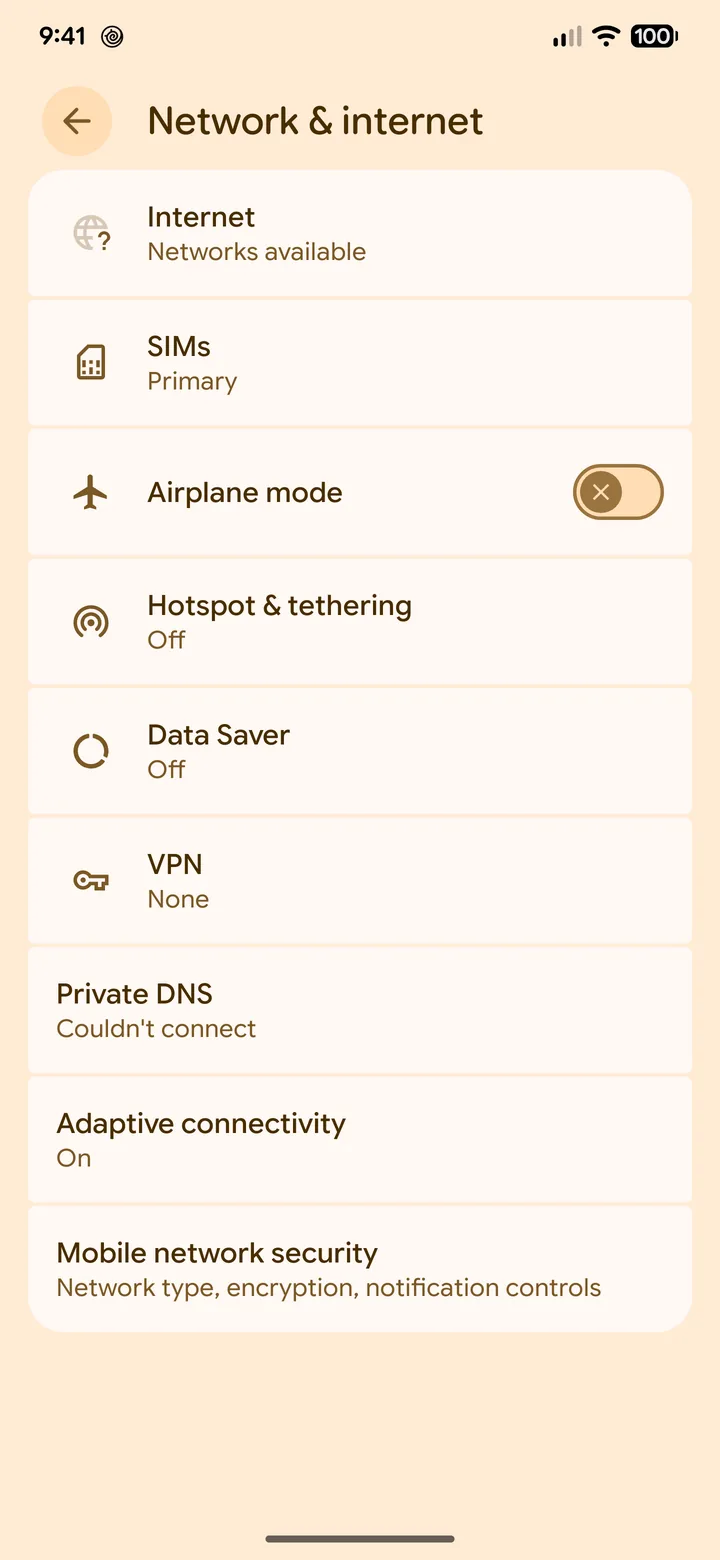 5Step 5 of 6
Pixel: open Settings > Network & internet > SIMs.
Tap the Olysim eSIM.
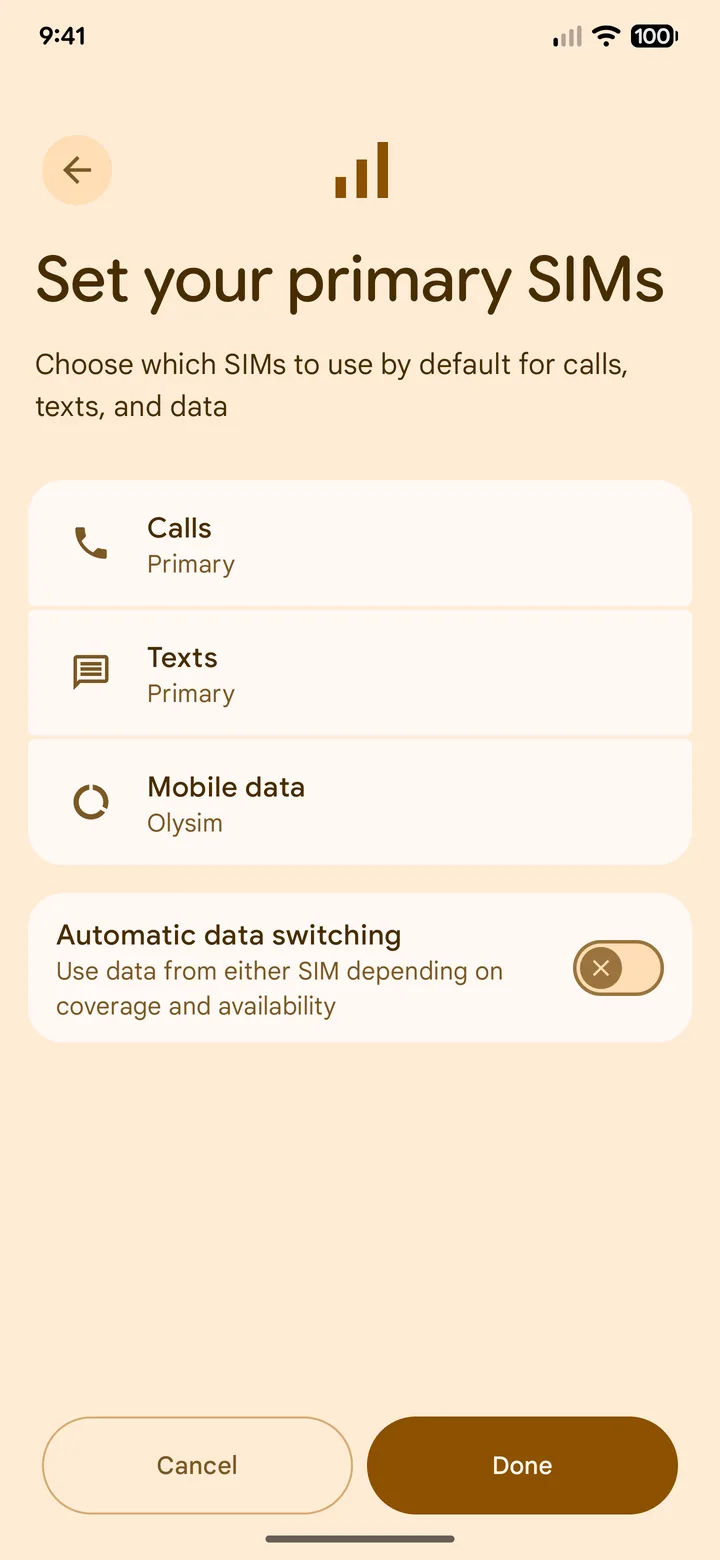 6Step 6 of 6
Turn on Mobile data for Olysim.
Your phone will ask to switch data to it. Tap Switch.
Turn off Allow Mobile Data Switching on iPhone, or Auto data switch on Android. Otherwise your phone may quietly use your home SIM's roaming data.
Did this solve it?