


Short answer
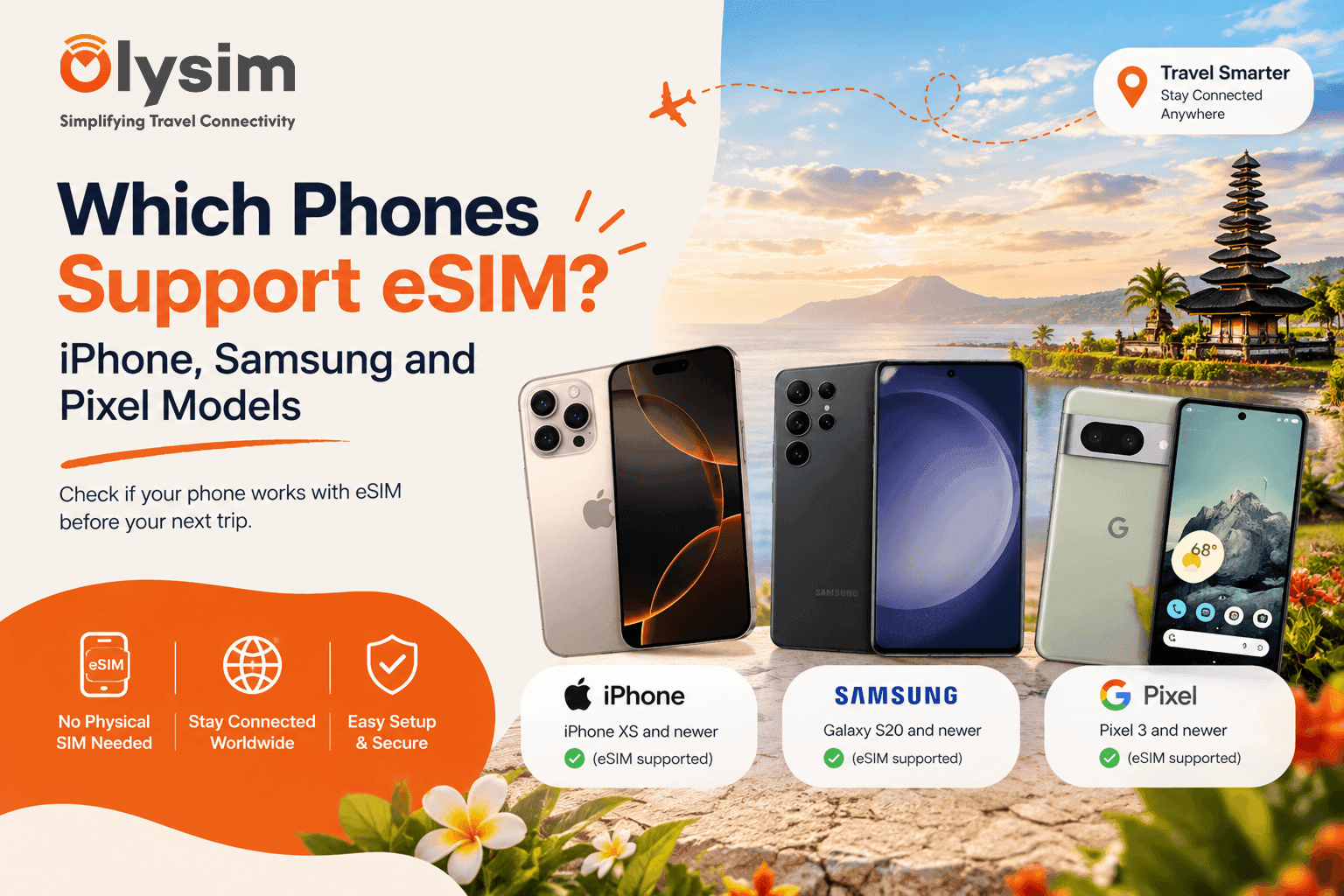
Almost every iPhone from the XS (2018) onwards supports eSIM. So do Samsung Galaxy S20 and newer, most Galaxy Z Flip and Fold phones, and Google Pixel 3 and newer. Two things can still block you: a phone locked to your home carrier, and a model sold in mainland China.
You are about to buy a travel plan and you want to know one thing first. Will your phone take it? An eSIM is a SIM built into your phone, so there is no small plastic card to swap. People often call it an eSIM card, but nothing physical ever arrives. You scan a code and the plan appears on your phone.
Below is the list by brand, the models that look supported but are not, and a quick way to check your own phone in under a minute.
Which iPhones support eSIM?
Apple added eSIM in 2018, so the cut-off is easy to remember. If your iPhone is newer than the iPhone X, it very likely works.
- iPhone XS, XS Max and XR
- iPhone 11, 11 Pro and 11 Pro Max
- iPhone SE (2nd generation, 2020) and SE (3rd generation, 2022)
- iPhone 12, 12 mini, 12 Pro and 12 Pro Max
- iPhone 13 and 14 families, including the mini and Plus models
- iPhone 15, 16 and 17 families, including Pro and Pro Max
The original iPhone SE, the iPhone X, the iPhone 8 and anything older do not support eSIM. They only take a physical SIM card.
The iPhone catch for mainland China models
iPhones sold in mainland China are built differently. Many of them have no eSIM at all, even when the same model sold elsewhere does. If you bought your phone in mainland China, check it before you buy a plan.
Which Samsung Galaxy phones support eSIM?
Samsung started later than Apple. The Galaxy S10 and older do not have it. The S20 is the first main line that does.
- Galaxy S20, S21, S22, S23, S24 and S25 series, and newer S models
- Galaxy Note20 and Note20 Ultra
- Galaxy Z Flip (original and 5G) and Z Flip3 onwards
- Galaxy Z Fold2 onwards
The cheaper Galaxy A range is patchy. Some A models have eSIM and some do not, and it can change between regions. Do not assume. Check the phone itself.
Where to look on a Samsung
Open Settings, then Connections, then SIM manager. If you see an option called Add eSIM, your phone supports it. If that option is missing, your model or regional version does not.
Which Google Pixel phones support eSIM?
Google is the simplest of the three. Pixel 3 and every Pixel after it supports eSIM. That includes the A-series phones such as the Pixel 3a, 6a, 7a, 8a and 9a, plus the Pro and Fold models. The newest Pixels in some countries have dropped the SIM tray completely and use eSIM only.
On a Pixel, open Settings, then Network and internet, then SIMs. Look for Add eSIM or a plus sign.
The quick view by brand
| Brand | Oldest model with eSIM | Watch out for |
|---|---|---|
| iPhone | XS, XS Max, XR (2018) | Models sold in mainland China |
| Samsung Galaxy | S20 series, Note20, first Z Flip and Z Fold2 | Galaxy A range varies by model and region |
| Google Pixel | Pixel 3 | Phones locked to a carrier |
What about other phone brands?
Many Motorola Razr phones, Xiaomi, Oppo, Sony and Honor models also support eSIM, mostly the flagships from the last few years. We do not list them all here because the exact model and regional version matter more than the brand name. Our eSIM compatible device list is the better place to look up an unusual phone.
Your phone is on the list but the eSIM still will not install
This is the part most lists skip. A supported model is only half the answer. Three other things get in the way.
A phone that supports eSIM and a phone that is allowed to use a new eSIM are not always the same thing. A carrier lock is the usual reason.
The phone is locked to your carrier
A carrier lock means your home network has set the phone to work only with its own SIMs. This is common when a phone was paid off in monthly instalments or came free with a contract. A locked phone may refuse a travel eSIM. Ask your carrier to unlock it before you fly, as it can take days.
The phone software is out of date
Older software on a supported phone can hide the eSIM option. Update your iPhone or Android phone to the latest version while you are still on home wifi.
The phone was bought in a different country
The same model name can have different hardware in different regions. A phone bought in mainland China or through a grey-market seller is where this shows up most.
How to check your own phone in a minute
You do not need to remember what model you own. Two quick checks settle it.
Check one: dial a short code
Open the phone dialler and type *#06#, then press call. If a number called EID appears, your phone has an eSIM chip. EID is simply the eSIM's own ID number, a long string of 32 digits. No EID means no eSIM.
Check two: look in the settings
On an iPhone, go to Settings, then General, then About. Scroll down and look for a line called Digital SIM or an EID number. Also open Settings, then Mobile Service, and look for Add eSIM. On Android, use the menu paths in the Samsung and Pixel sections above.
Also test for a lock. On an iPhone, check Settings, then General, then About, and read the line called Carrier Lock. It says No SIM restrictions if you are free to use any network. On Android, ask your carrier or try a SIM from another network. Our longer guide on checking if your phone supports eSIM covers the same ground.
What if your phone does not support eSIM?
You still have choices. Buying a local SIM card at the airport works, and many countries sell them from a counter in arrivals. You will need your passport in some places, and the queue can be long after a big flight.
Another route is a cheap second-hand phone that supports eSIM, used only as your travel phone. That suits long trips more than a long weekend. If you are new to the idea, this plain guide to what an eSIM is explains what you would be getting.
Before you buy
Three things to tick off
✓ Your phone model is on the list above, or shows Add eSIM in its settings.
✓ Your phone is not locked to your home carrier.
✓ The software is up to date and you have wifi to set it up.
Once those are done, setting it up takes a few minutes. Our installation guide walks through it on both iPhone and Android, and the FAQ page covers anything else that comes up.
The bottom line
If you own an iPhone XS or newer, a Galaxy S20 or newer, or a Pixel 3 or newer, you can almost certainly use a travel eSIM. The two real risks are a carrier lock and a phone bought in mainland China, and you can check for both in a few minutes at home. Do it before you fly, while a carrier is still easy to call.


