


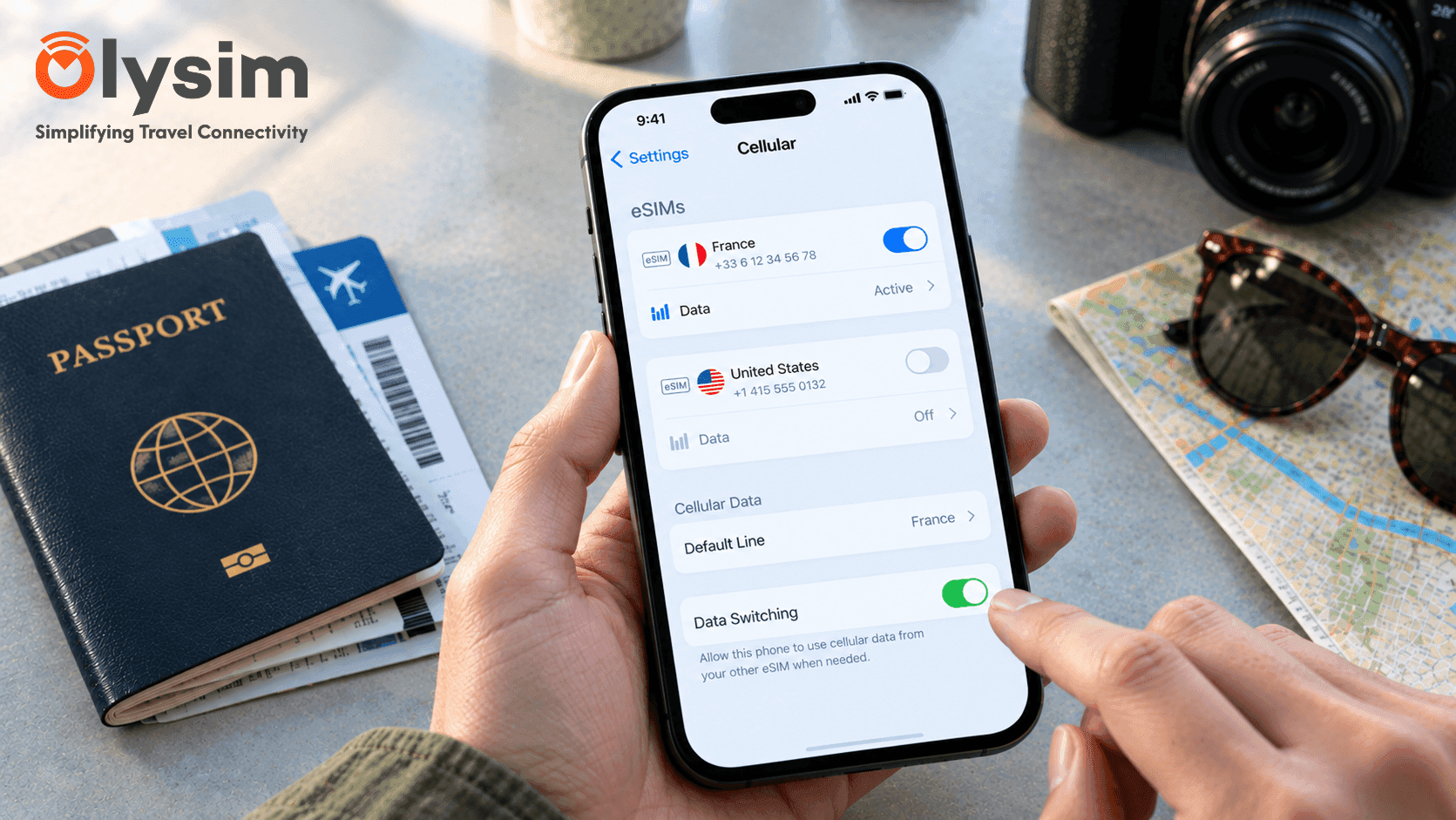
You already have one eSIM installed from a trip to Croatia, and now you are heading to Morocco. Can you just add a second eSIM, or do you need to remove the first one? And once both are installed, will your phone actually use them at the same time?
Quick answer: yes, most phones can store several eSIMs at once, but only one or two can actually be switched on for data at the same time. You choose which eSIM is active in your phone's settings, and you can switch between them whenever you like.
Storing eSIMs vs using them at the same time
These are two different things, and mixing them up is where most confusion starts. An eSIM is a SIM built into your phone, so there is no small plastic card to swap, and your phone can hold several of these digital profiles in storage at once.
But being stored is not the same as being active. Most phones can only run one or two eSIMs for data at the same time, even if five or six are saved in storage. The rest simply sit there, switched off, until you choose to turn one on.
How many eSIMs can your phone store?
Most recent iPhones can store around 8 eSIM profiles, though usually only one can handle data at any given moment, alongside a physical SIM if your phone has a tray too. Most current Android phones, including recent Samsung Galaxy and Google Pixel models, allow a similar number, though this varies by exact model.
You can check your exact phone's limits and eSIM support on the eSIM compatible device list before assuming your phone can or cannot handle another one.
Can two eSIMs both be switched on for data together?
A small number of newer phones support having two eSIMs active for data at the same time, sometimes called dual eSIM standby. On most phones, though, only one eSIM handles data at a time, and you switch between them manually in your settings.
In practice, this rarely matters for travel. You are usually only using data from one country's network at a time anyway, so switching which eSIM is active as you move between destinations works just as well as having both running together.
One eSIM stored vs one eSIM active
| Question | Stored eSIM | Active eSIM |
|---|---|---|
| Uses data right now | No | Yes |
| Takes up phone storage space | Yes | Yes |
| Can you switch to it later | Yes, in a few taps | Already switched on |
| How many can you have | Several, depending on your phone's limit | Usually just one for data |
How to switch between two eSIMs on your phone
Switching which eSIM is active takes less than a minute, and you do not need wifi or any signal to do it.
- Open your phone's settings and find the mobile or cellular menu.
- Find the list of eSIMs and physical SIMs stored on your phone.
- Select the eSIM for the country you are now in.
- Set it as the line used for data.
This is especially useful on a multi-country trip. You might install an eSIM for each stop before you fly, following our eSIM installation guide, then simply switch to the right one as you cross each border.
Does having two eSIMs cause connection problems?
Having eSIMs stored but inactive does not cause any issues. Problems can come up if two eSIMs are both trying to handle data at once, which is one of the common causes covered in our guide on why an eSIM keeps disconnecting while travelling.
If your connection feels unreliable with more than one eSIM installed, check your mobile settings and confirm only the eSIM for your current country is set as active for data.
A simpler option for multi-country trips
If your trip covers several countries, a single regional eSIM can remove the need to switch between profiles at all. A Europe eSIM plan or a Singapore, Malaysia and Thailand eSIM plan covers multiple destinations under one profile, so there is nothing to switch mid-trip.
Whether you install a new eSIM for every stop or pick one regional plan, most phones handle several eSIMs without any trouble. Browse eSIM plans by destination on Olysim's plans page before you fly.


