How to set the APN for your eSIM
Quick answer
Most eSIMs set the APN by themselves. If you have signal but no internet, message us on WhatsApp and we will send the right APN for your plan. Then add it in your phone's mobile network settings.
APN means Access Point Name. It tells your phone how to connect to the internet on that network.
Step by step
- 1Step 1 of 5
Message us on WhatsApp for your plan's APN.
Each network can use a different one.
- 2Step 2 of 5
iPhone: open Settings > Mobile Service > Olysim > Mobile Data Network.
Type the APN under Mobile Data. Leave username and password empty.
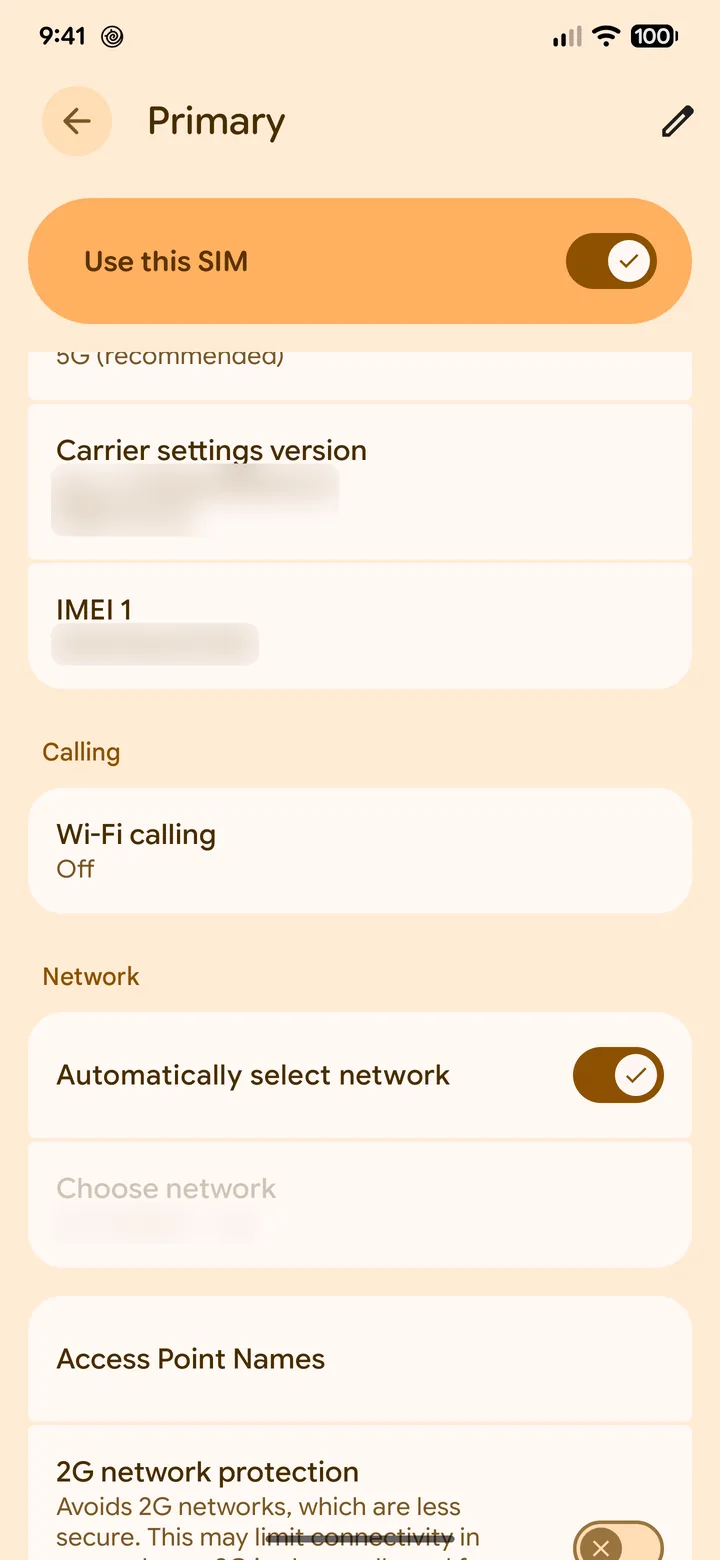 3Step 3 of 5
Android: open Settings > Network & internet > SIMs > Olysim > Access Point Names.
Samsung: Connections > Mobile networks > Access Point Names.
 4Step 4 of 5
Tap + or Add, type the APN, then save.
Name can be anything, like Olysim.
- 5Step 5 of 5
Select the new APN and restart your phone.
Data should start within a minute.
Did this solve it?