Internet is slow on my eSIM
Quick answer
Toggle Airplane mode, then try choosing a different network by hand. Also check you still have data left: some plans slow down after a daily or total limit.
Step by step
- 1Step 1 of 4
Turn Airplane mode on for 30 seconds, then off.
This finds the strongest network again.
- 2Step 2 of 4
Check how much data you have left.
In the Olysim app or under My eSIM on the website.
- 3Step 3 of 4
Choose a different network by hand.
One network can be busier than another in the same place.
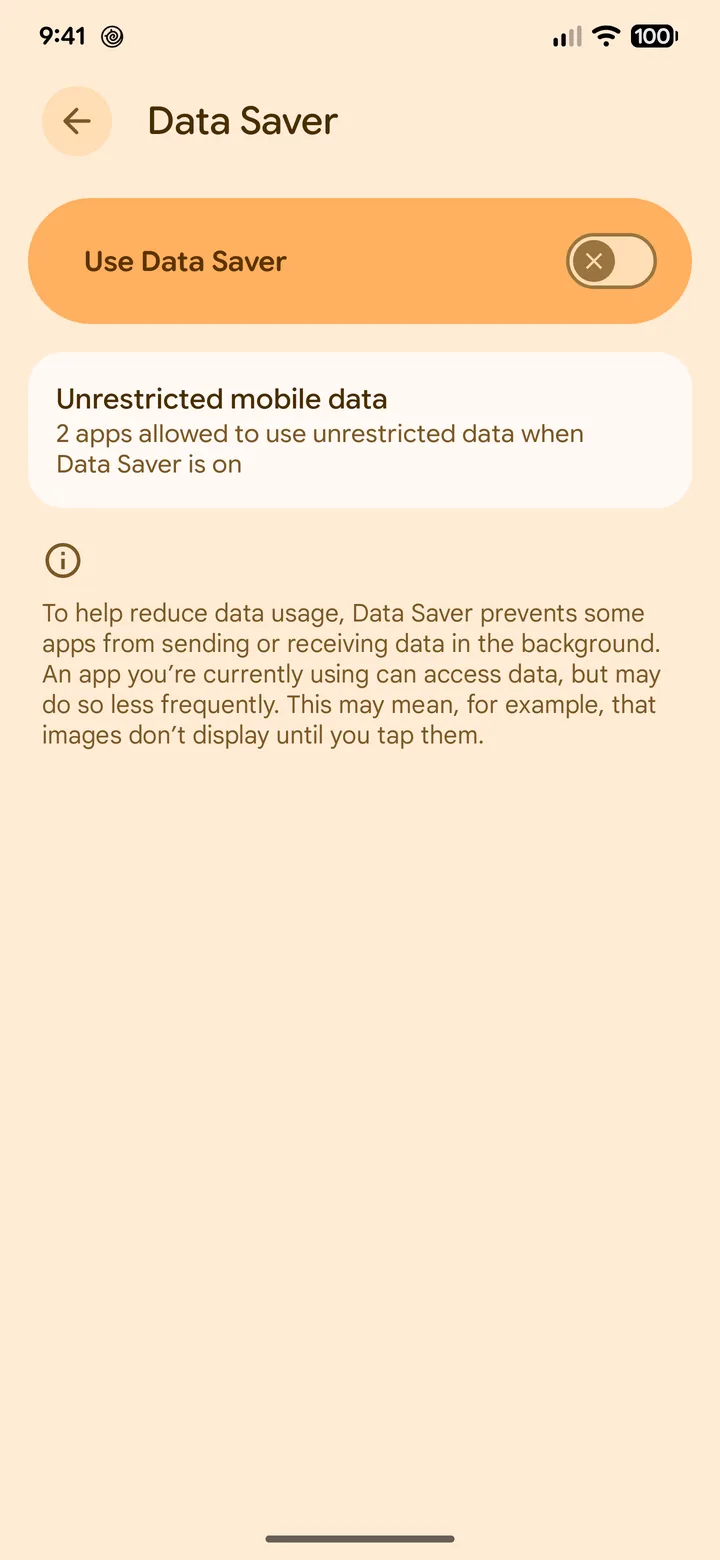 4Step 4 of 4
Turn off Low Data Mode or Data saver.
These can make apps feel slow.
Why speed can change
- Crowded places, like stadiums and festivals, slow every network.
- Inside buildings and on trains, signal is weaker.
- Some plans slow down after you reach a limit. The plan page tells you if yours does.
Did this solve it?