How to find your phone's IMEI and EID
Quick answer
Dial *#06#. Your phone shows its IMEI numbers and, if it supports eSIM, its EID. You can also find them in Settings under About phone.
IMEI is your phone's ID number. EID is the ID of its eSIM chip. Support may ask for them to check a problem.
Step by step
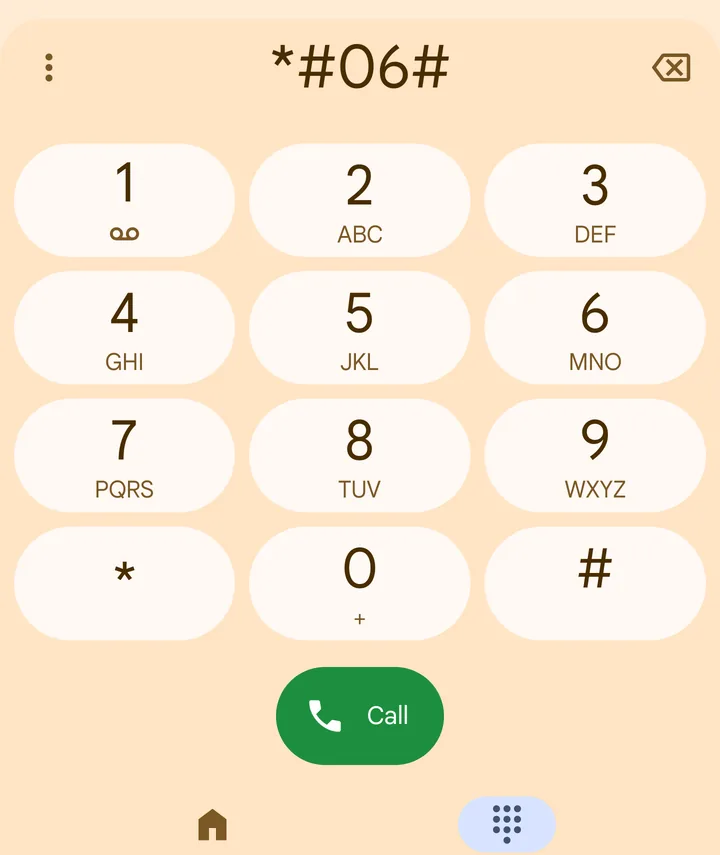 1Step 1 of 3
Open the phone app and dial *#06#.
The numbers appear straight away.
- 2Step 2 of 3
iPhone: or open Settings > General > About.
Scroll down to IMEI and EID.
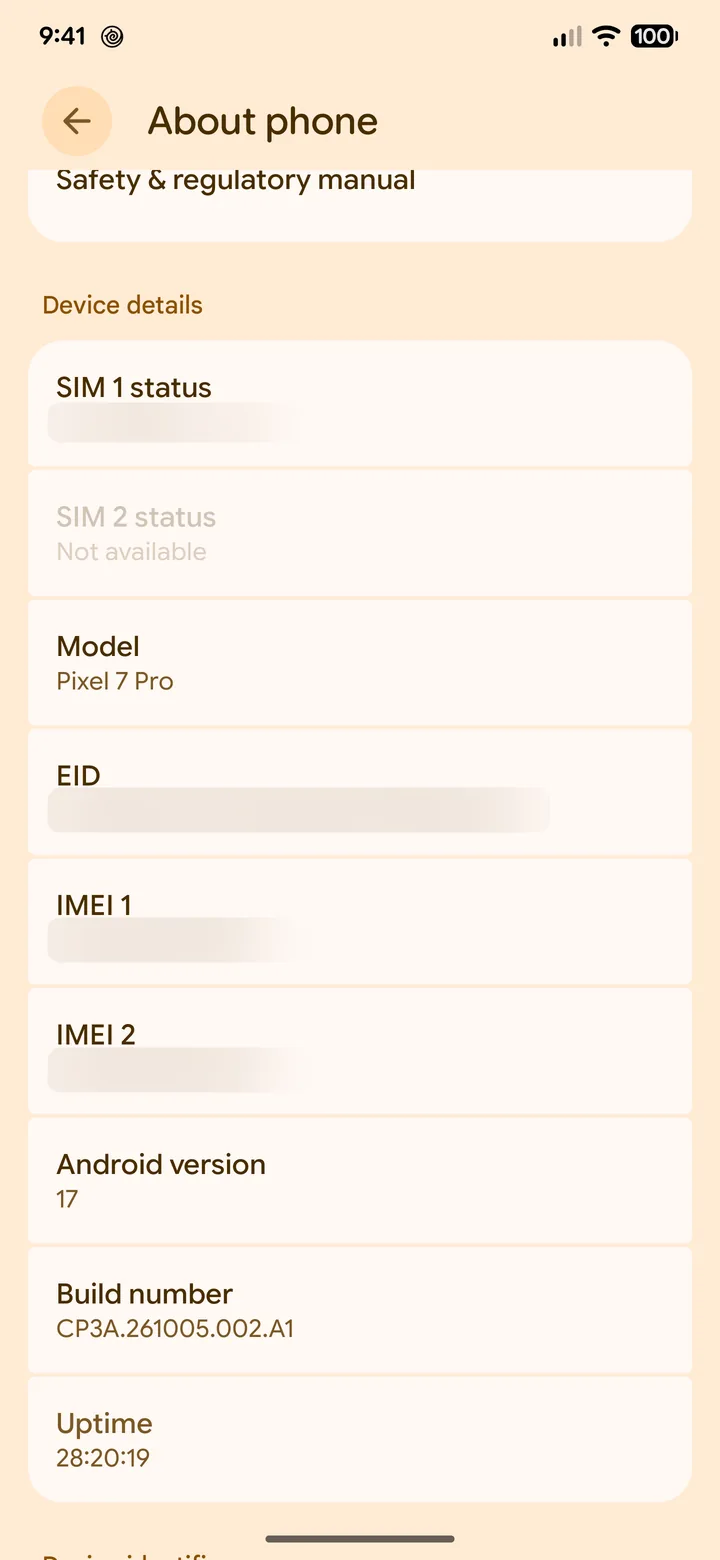 3Step 3 of 3
Android: or open Settings > About phone.
On Samsung: Settings > About phone > Status information.
Only share your IMEI and EID with Olysim support or your phone maker.
Did this solve it?