


If you have ever bought a second hand phone, reported one stolen, or spotted a strange 15 digit code inside your phone's settings, you have already run into your IMEI number without fully knowing what it does. It quietly runs in the background of every call you make and every SIM you insert, and in India, it now sits at the center of some fairly strict government rules too.
This guide breaks down what an IMEI number actually is, how to find yours in under a minute, how India's phone tracking and anti theft system uses it, and what changes once eSIMs enter the picture. No jargon, no fluff, just the practical stuff you actually need.
Quick Answer
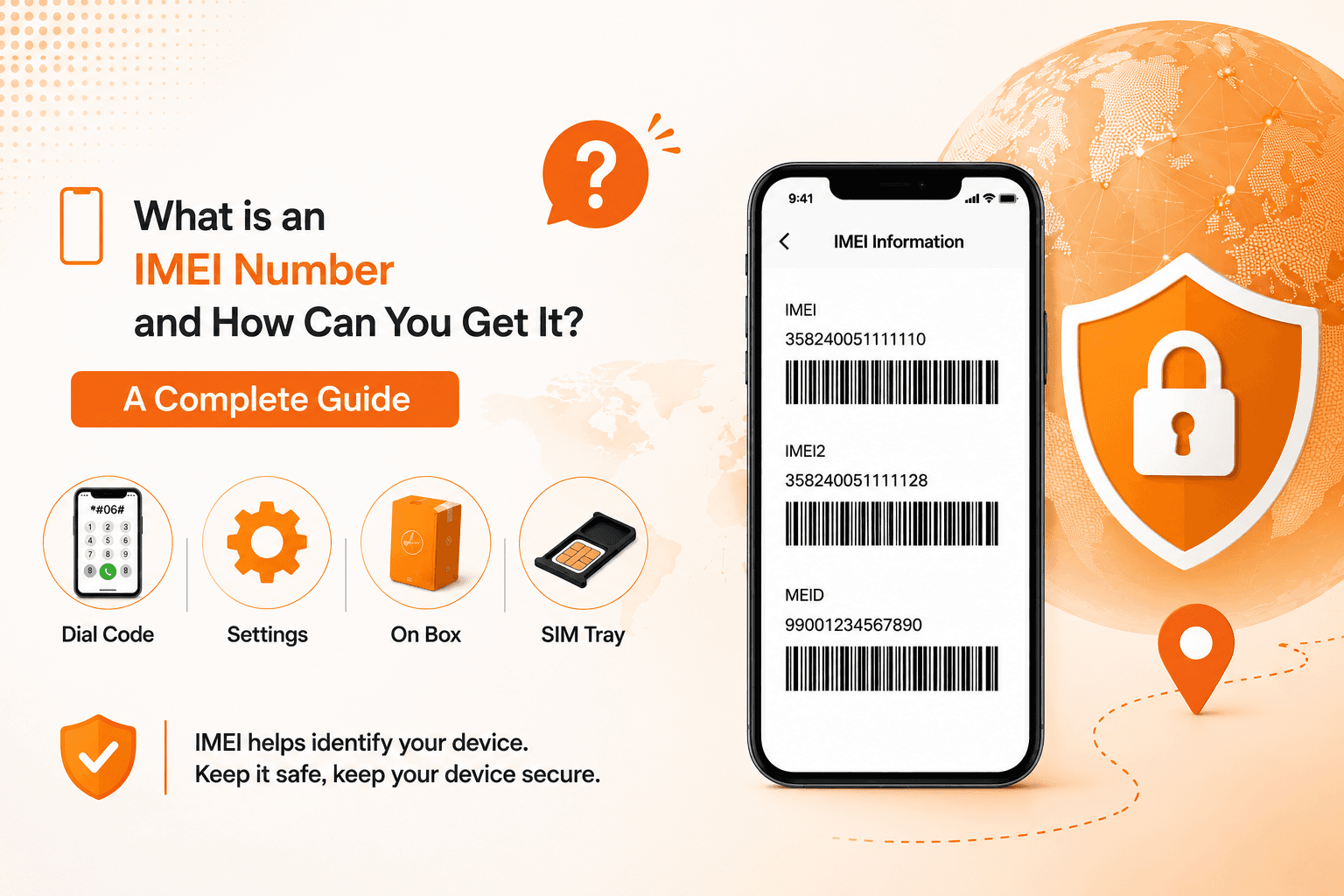
An IMEI (International Mobile Equipment Identity) is a unique 15 digit number that identifies your specific phone, the way a VIN identifies a car. It is set by the manufacturer and built into the hardware, so you do not "apply" for one. To find yours, dial *#06# on the keypad, check Settings > About Phone, or look at the box your phone came in. In India, this number is also linked to the government's Sanchar Saathi portal, which lets you block a lost or stolen phone and check whether a second hand device is genuine before you buy it.
What an IMEI Number Actually is
Think of your phone as having two identities. Your phone number and SIM identify you, the subscriber. Your IMEI identifies the physical device itself, regardless of which SIM is inside it.
Every phone, tablet with a SIM slot, and even some smartwatches get an IMEI assigned during manufacturing. It is a 15 digit code that never changes for the life of the device (unless someone illegally tampers with it, which is a punishable offence in India, more on that shortly).
Here is a simple way to break down what those 15 digits mean, without getting lost in technical standards:
- First 8 digits (TAC, Type Allocation Code): Identify the brand and exact model of the phone.
- Next 6 digits: A unique serial number for that individual unit.
- Last digit: A check digit used to confirm the number is valid and hasn't been altered.
You don't need to memorise this structure, but it explains why an IMEI lookup can instantly tell someone the brand, model, and sometimes even the manufacturing batch of a phone just from the number.
A Common Mix-Up: "Getting" vs "Finding" an IMEI
A lot of people search for "how to get an IMEI number" assuming it's something they need to apply for, like a PAN card or Aadhaar number. In reality, you cannot create or request a new IMEI for a phone you already own. It is permanently assigned at the factory before the phone ever reaches a store shelf. What you actually need to do is locate the one your phone already has, which is thankfully much simpler.
Why the IMEI Number Matters, Especially in India
This isn't just a random string of digits. In India, the IMEI plays a real role in three areas:
1. Stopping phone theft: When a phone is reported stolen, its IMEI can be blacklisted across every telecom network in the country. Even if the thief swaps in a new SIM card, the phone becomes unusable the moment it tries to connect.
2. Blocking counterfeit and grey market devices: Under the Telecommunications Act, 2023 and the Telecom Cyber Security Rules, manufacturers and importers must register every device's IMEI with the government before it can legally be sold in India. Tampering with an IMEI, or possessing tools that can alter one, can now lead to a prison term and a fine running into lakhs of rupees. This is aimed squarely at the counterfeit and "first copy" phone trade.
3. Everyday troubleshooting: Carriers, service centres, and insurance providers use your IMEI to pull up your exact device model when you need support, a repair, or a warranty claim.
How to Find (Get) Your IMEI Number
Here are the fastest, most reliable ways, ranked roughly by how quickly you can do them.
Method 1: Dial the universal code
Open your phone's dialer and type *#06#. Your IMEI (or two IMEI numbers, if you have a dual SIM phone) will pop up on screen instantly. This works on nearly every phone, Android or iPhone, even without an internet connection.
Method 2: Check your phone's settings
- Android: Settings > About Phone > Status (label may vary slightly by brand)
- iPhone: Settings > General > About, scroll down to IMEI
Method 3: Look at the original box or invoice
Every phone box in India carries a sticker with the IMEI printed on it, usually alongside a barcode. Your purchase invoice or bill from the retailer often lists it too. This is the one place worth keeping a photo of, especially before you throw the box away.
Method 4: Check the SIM tray
On many iPhones and some Android phones, the IMEI is engraved directly on the SIM card tray.
Method 5: Recover it remotely if your phone is missing
- Android: Sign in to your Google Account dashboard, find the device under "Find My Device," and the IMEI will be listed there.
- iPhone: Log in at account.apple.com, select your device under "Devices," and scroll down for the IMEI.
Practical tip: Do this today, not after your phone goes missing. Take a screenshot of the *#06# result or the box sticker and save it somewhere separate from your phone, like an email to yourself or a note synced to the cloud. It takes thirty seconds now and can save you a lot of stress later.
What About Dual SIM Phones and eSIMs?
This trips up a lot of people, so it's worth clearing up properly.
Dual SIM phones almost always carry two IMEI numbers, IMEI 1 and IMEI 2, one for each SIM slot. When you dial *#06#, both will appear.
If your phone has an eSIM (an embedded, built in SIM that doesn't need a physical card), one of those two IMEI slots is usually assigned to it. The eSIM itself doesn't have its own separate IMEI. Instead, eSIM capable phones have a different identifier altogether called an EID (Embedded Identity Document), a 32 digit code tied to the physical eSIM chip. To put it simply:
- IMEI identifies your phone.
- EID identifies the eSIM chip inside your phone.
- ICCID identifies the specific SIM profile or plan loaded onto that chip.
None of these change when you install a new eSIM plan, and installing an eSIM does not affect or "use up" your phone's existing IMEI. This matters if you're travelling and want to add a local or international data plan without touching your primary number at all. Your regular SIM (and its IMEI slot) stays exactly as it is, while a data only eSIM, like the ones Olysim offers for over 150 countries, simply slots into the second profile via a QR code scan. No SIM tray, no swapping cards at an airport counter, and no impact on your phone's identity or your existing number.
How IMEI Registration and Checking Works in India
India runs one of the more organised IMEI systems globally, through a single government platform called Sanchar Saathi (sancharsaathi.gov.in), run by the Department of Telecommunications (DoT). It brings together a few services under one roof:
- CEIR (Central Equipment Identity Register): The database that stores IMEI records and handles blocking or unblocking of lost and stolen phones nationwide.
- KYM (Know Your Mobile): Lets anyone check whether a phone's IMEI is genuine, already blacklisted, or duplicated, before buying it.
- TAFCOP: Shows you how many mobile connections are currently registered against your own ID, useful for spotting SIM fraud.
Before buying a second hand phone
Don't skip this step. Before handing over cash for a used phone:
- Dial *#06# on the phone and note the IMEI.
- Confirm it matches the number on the box or invoice, if the seller has one.
- Go to the Sanchar Saathi CEIR portal, or send an SMS in the format KYM <15-digit IMEI> to 14422, to check its status.
- If it comes back as blacklisted, duplicate, or already in use, walk away from the deal, no matter how good the price looks.
If your phone is lost or stolen
You can file a blocking request directly on the Sanchar Saathi CEIR portal using your IMEI, along with a police complaint or FIR number. Once submitted, the phone is typically blocked across all Indian networks within 24 hours, making it useless to whoever has it, even with a new SIM inserted. If you later recover the device, the same portal lets you submit an unblock request.
Keeping Your IMEI Safe
Your IMEI isn't exactly a secret, but treat it with a bit of care:
- Avoid posting your IMEI publicly on resale listings or forums. Scammers have been known to clone genuine IMEIs onto stolen or grey market phones.
- Share it privately with a serious buyer if needed, rather than in a public ad.
- Never install apps or respond to messages that ask you to "verify" your IMEI in exchange for a prize or free service. This is a common phishing tactic.
- If you ever suspect your IMEI has been cloned or misused, report it to your telecom operator and check your connections through TAFCOP on Sanchar Saathi.
The Short Version
Your IMEI is your phone's permanent, factory issued identity number. You don't apply for one, you just need to know where to find it, and in India, it's worth registering that number mentally alongside your Sanchar Saathi login, since that's your fastest route to blocking a stolen phone or checking a second hand one before you buy. Save a copy of it somewhere safe today, and you'll thank yourself if you ever need it in a hurry.


